Instagram is pushing a Reels-first experience with a dedicated
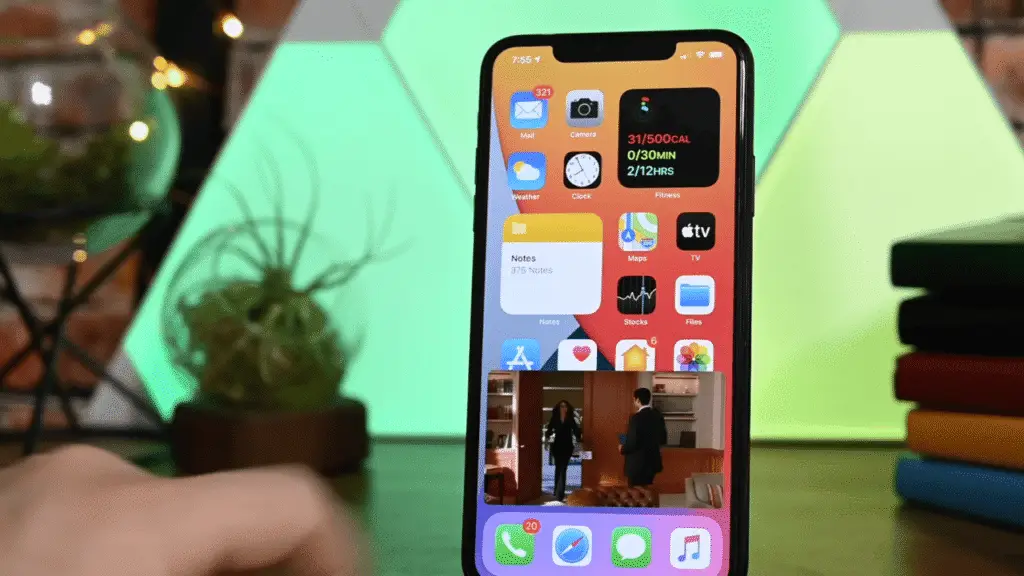
iPad app and a Picture-in-Picture (PiP) mode that lets viewers keep a Reel playing while they multitask.
For creators, this can mean higher watch-time, better retention, and broader reach.
This guide shows exactly how to optimise for the shift.
What’s new, exactly?
- Reels-first iPad layout — Larger canvas, cleaner comments, and more room for text overlays and product details.
- Picture-in-Picture (PiP) — Viewers can keep your Reel playing in a floating window while using other apps, reducing drop-offs.
- Lean-back viewing — Auto-advance + comfy tablet posture = longer sessions and more completions.
Why it matters for creators & brands
- Bigger viewport improves the legibility of captions, 3D details, and UI/mockup shots.
- PiP keeps plays alive during multitasking, boosting overall session length.
- Storytelling space for product shots, before→after, and text-led tutorials.
Reels-First Optimisation Checklist (save this)
- Hook in 2–3 seconds — Start tight on the subject; use bold, high-contrast text.
- Safe zones — 1080×1920; keep key text away from top/bottom ~240px (helps in PiP & comments view).
- Readable captions — Short lines, big type, shadow/outline for contrast on busy footage.
- Length — 30–60s sweet spot; use Part 1/2/3 for deeper topics.
- Audio — Trend track + clean VO; always add subtitles for silent autoplay.
- Export — H.264, 9:16, ~8–12 Mbps; AAC 320 kbps; colour profile consistent.
- CTA timing — Place your CTA at 80–90% progress + end-screen lockup.
- Thumbnail — Face/product contrast, bold type, consistent brand colour (use #FF6F00 accent).
Content ideas that work right now
- 3D before→after — Wireframe to photoreal render in 15 seconds.
- Motion design breakdown — 5 keyframes + graph editor peek.
- Branding mini-case — Logo → palette → mockups with quick value bullets.
- UI micro-interactions — Tap/hover demos stitched to beats.
- AI workflow tips — Prompt → refine → export; include licensing/credit notes.
Posting rhythm & analytics (what to track)
Aim for 3–4 Reels per week. Watch these three pillars:
Watch-time, Likes per reach,
and Shares per reach. Re-cut the best performer into a vertical “PiP-clean” version (minimal corner overlays).
One-week action plan
- Write 3 hooks (promise a clear outcome in 8–10 words).
- Cut iPad-friendly text versions (bigger type, center framing).
- Caption: primary keywords + 3–5 niche hashtags + geo.
- Keep corners clean for PiP; avoid blocking key visuals.
- Post → review 24h/72h/7d: retention curve, re-shares, saves.
FAQ
Best aspect ratio? 9:16. For cross-posting, also save a 1:1 cover.
Ideal length? 30–60 seconds. Complex topics: make a series.
Subtitles? Yes—accessibility + silent autoplay boost.
Bottom line
The iPad app and PiP Reels push longer, more comfortable viewing.
Creators who emphasise watch-time, readability, and
PiP-safe framing will compound reach over time.
 See my experiments: Reels-first edits, 3D visualisation demos, motion graphics & UI interactions.
You dream it. We forge it.