The Ultimate Architectural 3D Rendering Workflow: From Blueprint to Reality
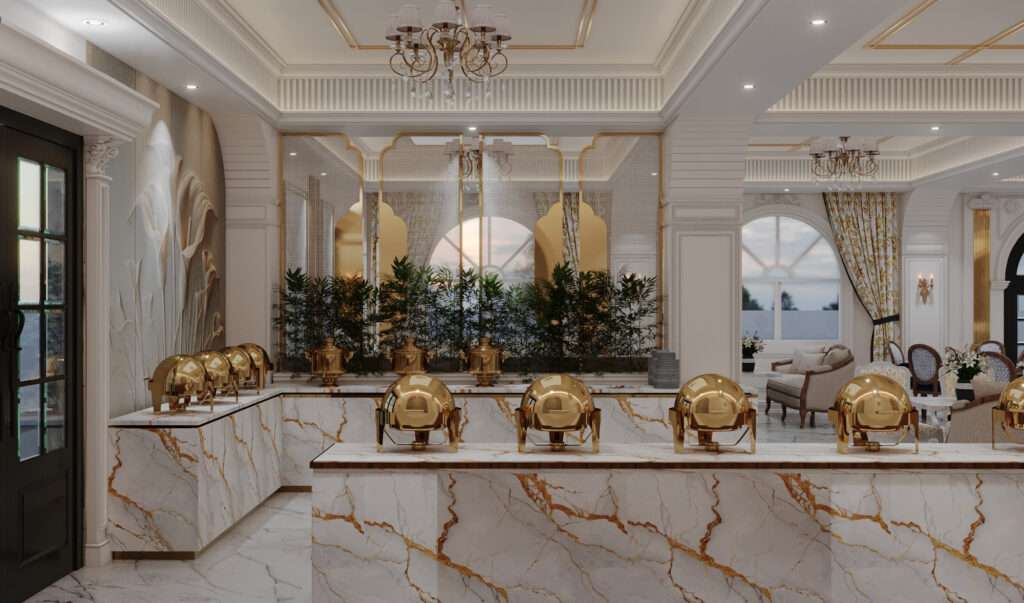


In architectural visualisation, a 2D floor plan is no longer enough. Developers, architects, and real estate clients need to experience a space before a single brick is laid. This is where high-fidelity Architectural 3D rendering bridges the gap between concept and reality.
As a Senior Multimedia Designer with 8+ years of experience in 3D visualisation, motion graphics, and CGI content production, I have developed a structured pipeline that transforms basic blueprints into photorealistic architectural renders and walkthrough animations. Here is an inside look at that workflow.
Phase 1: Understanding the Vision
Every successful 3D visualisation starts with clarity. Before opening any software, the first step is analysing available drawings, mood boards, material references, and the lighting intent of the space. Whether it is a residential interior or a commercial exterior, establishing the exact mood, dimensions, and spatial proportions is the foundation of every render.
This phase also involves direct communication with the client or architect — understanding what the visualisation needs to communicate, who the audience is, and what the final deliverable format will be (still render, walkthrough animation, or both).
Phase 2: Precision 3D Modelling in Blender
Once the concept is locked, the structural foundation is built in Blender. This phase is about mathematical precision — ensuring that
scale, proportions, and architectural details are accurately translated into the 3D environment. Every wall thickness, ceiling height, and furniture dimension needs to match the source drawings.
Clean topology and organised geometry at this stage save significant time in texturing and rendering later. For complex scenes, modular Modelling and instancing are used to keep file sizes manageable without sacrificing detail.
Phase 3: PBR Texturing and Cinematic Lighting
This is where the architectural model comes to life. Using physically based rendering (PBR) materials in Blender’s Cycles engine, surfaces are assigned realistic material properties — marble reflects light accurately, fabric carries micro-texture detail, and glass refracts naturally based on its IOR value.
Lighting setup follows:
– HDRI-based global illumination for natural exterior daylight
– Area lights and IES profiles for interior artificial lighting
– Ray-traced shadows for architectural accuracy
– Emissive materials for lighting fixtures
The goal is to simulate how light actually behaves in the physical world — not just to make the render look good, but to make it feel believable.
Phase 4: 3D Walkthrough Animation
Static renders communicate a moment. Walkthrough animations communicate the full spatial experience. For projects requiring motion, camera paths
are built inside Blender using bezier curves and keyframe animation — with depth of field, motion blur, and smooth transitions applied to produce cinematic camera movement.
For projects requiring real-time interactivity or VR output, assets can be transferred into Unreal Engine for real-time architectural visualisation — allowing clients to experience the space dynamically with ambient environmental effects and interactive camera control.
Phase 5: Post-Production and Colour Grading
The final render is never the finished product. Raw renders are imported into After Effects for compositing and colour grading — where contrast levels are adjusted, atmospheric depth is added, and the overall colour palette is graded to deliver the cinematic quality the project demands.
This final post-production pass is what separates a technically correct render from a visually compelling presentation asset.
Tools Used in This Workflow
– 3D Modelling & Rendering: Blender (Cycles/EEVEE)
– Architectural Visualisation: Lumion
Work With a 3D Visualisation Specialist
Whether you are an architect, developer, or interior designer looking for photorealistic renders, walkthrough animations, or CGI presentation assets — I am available for freelance 3D visualisation projects.
Based in Delhi, India. Open to projects in Dubai, UAE and beyond.
View portfolio: folioforge.in
Contact: sumitdhiman763@gmail.com